3D solar design that takes minutes, not hours
Draw the roof, define the slope, place panels with live irradiation data. Get a complete 3D solar design including shading analysis and inverter matching in a single browser tab.
Trusted by























From roof sketch to string-optimized design in four steps
No CAD software. No plugin installs. Everything runs in the browser with real specs, real electrical validation, and real-time shading analysis.
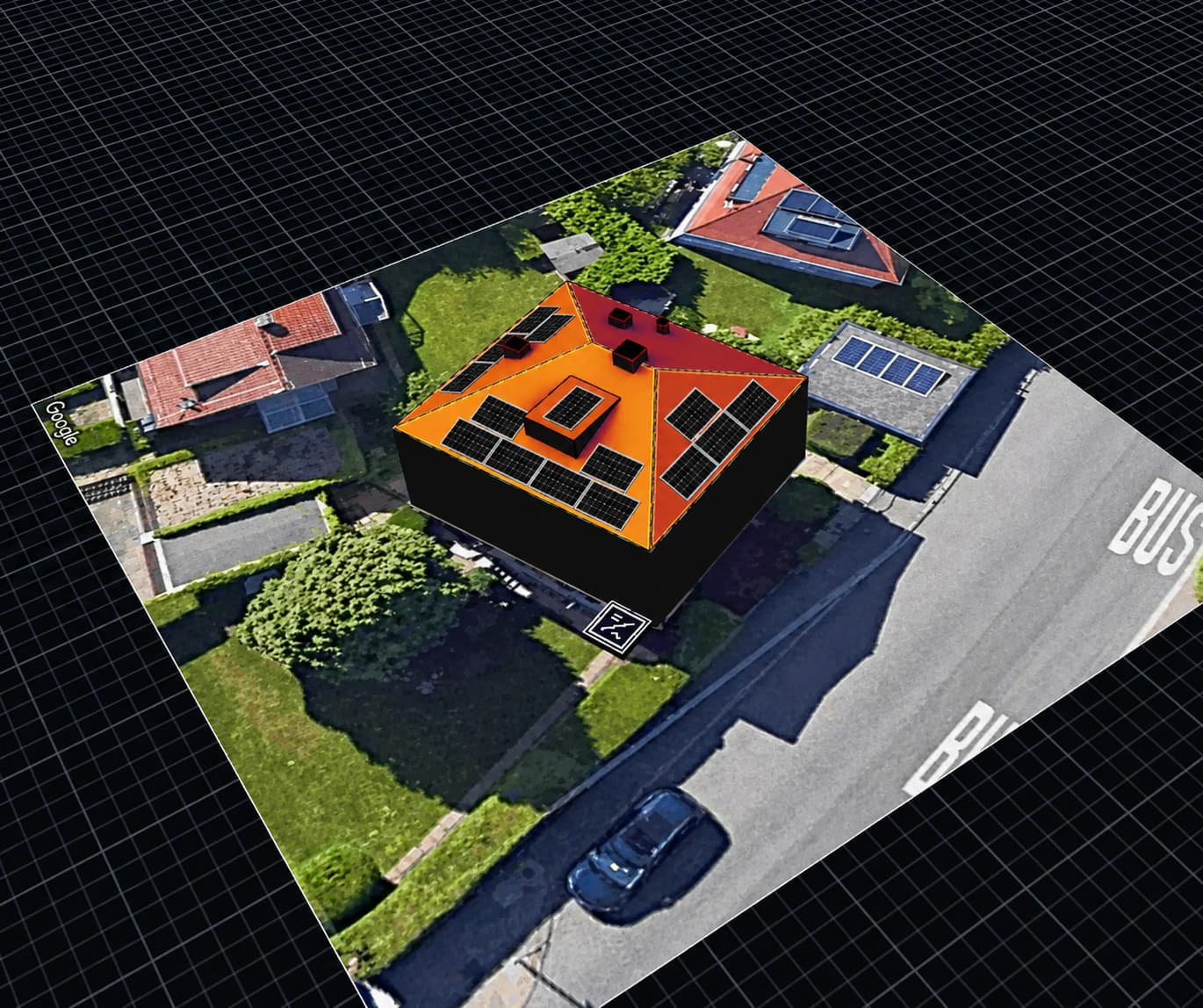
Roof drawing and 3D modeling
Draw the roof outline on Google Maps, Google HD, or Azure satellite imagery. Define slopes per face, add obstacles and dormers. The 3D model generates automatically from your 2D drawing.
Panel placement and inverter
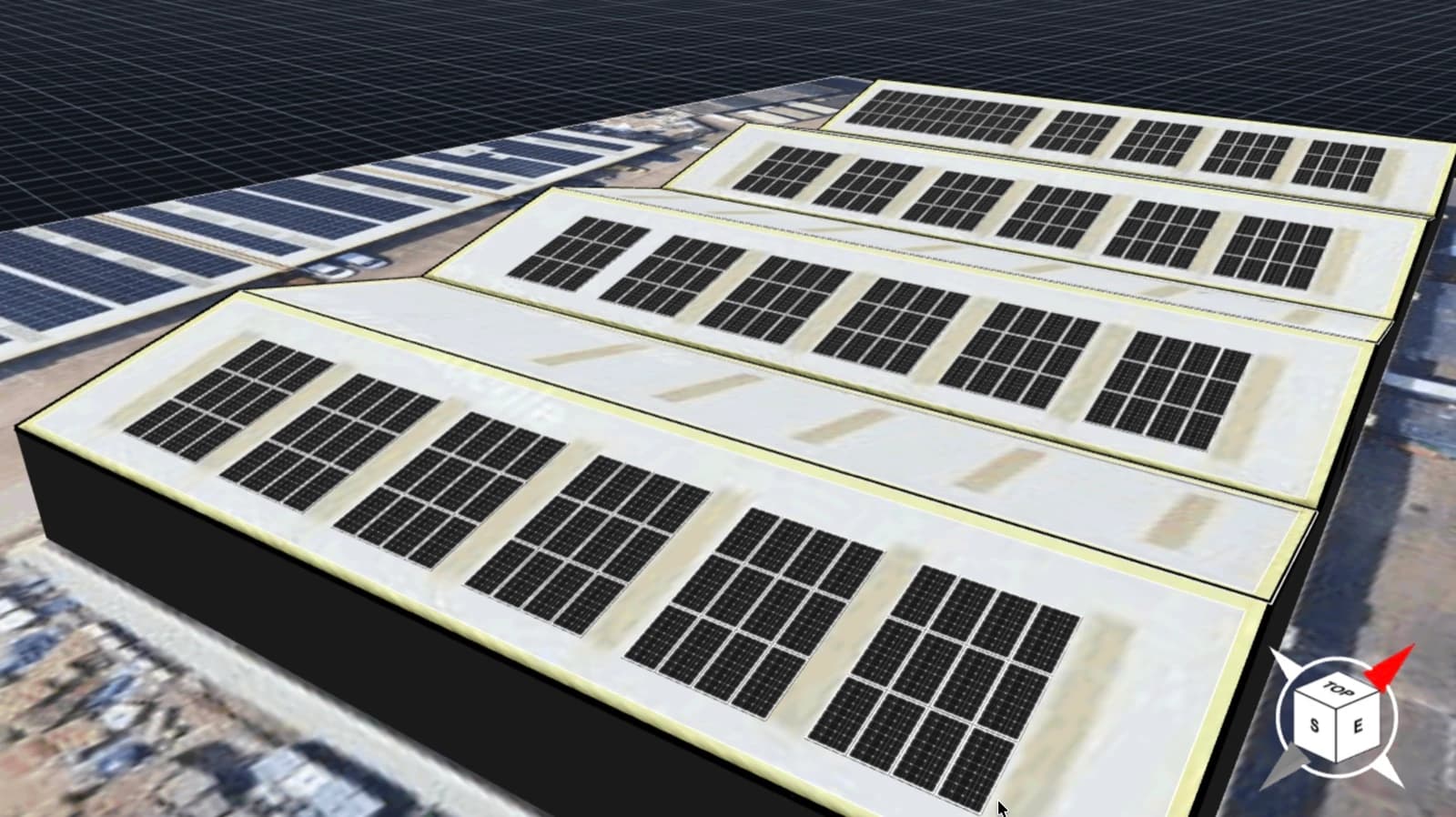
Auto-fill entire roof faces or place panels manually. Configure orientation, tilt, spacing, and grouping. Inverter auto-suggest matches your DC capacity, or select manually from the database.
String design
Wire panels into series strings, assign to MPPT inputs, and validate Voc, Vmpp, and Isc against inverter limits in real time with temperature-dependent checks.
4-in-1 system sizing
PV, battery storage, heat pump, and EV charger modeled together. Each component affects system sizing and downstream feasibility math.
Panels, inverters, batteries, and heat pumps in the database carry real specs (dimensions, power, capacity) and are validated to work together. Your layouts respect physical dimensions and electrical limits, not placeholder rectangles.
Five capabilities that replace separate tools
Design any roof in minutes, even when satellite imagery is outdated
Get from a satellite view to a usable 3D roof in a few clicks, even when the imagery is outdated or the rooftop is unusual. Multiple map providers, custom uploads when satellite data falls short, and snapping tools built for irregular shapes keep the drawing step short on every project.
- Google Maps, Google HD, and Azure Maps
- Polygon snapping with alignment guides
- Inner edge detection for complex roofs
- Custom satellite imagery upload
- Obstacles and dormers with height adjustment
Fill an entire roof in one click, fine-tune every panel by hand
Lay out an entire rooftop in one click for typical jobs, then drop into manual mode whenever the layout needs a human touch. Per-panel shading data and a Sun Path tool make the trade-offs visible, so the layout that ships is the layout that performs in the field.
- Fill Roof Face auto-placement
- Manual drag-to-place for custom layouts
- Panel grouping, bundling, and duplication
- Per-panel shading inspector with solar access data
- Sun Path visualization tool
See exactly which panels lose production before you sell the system
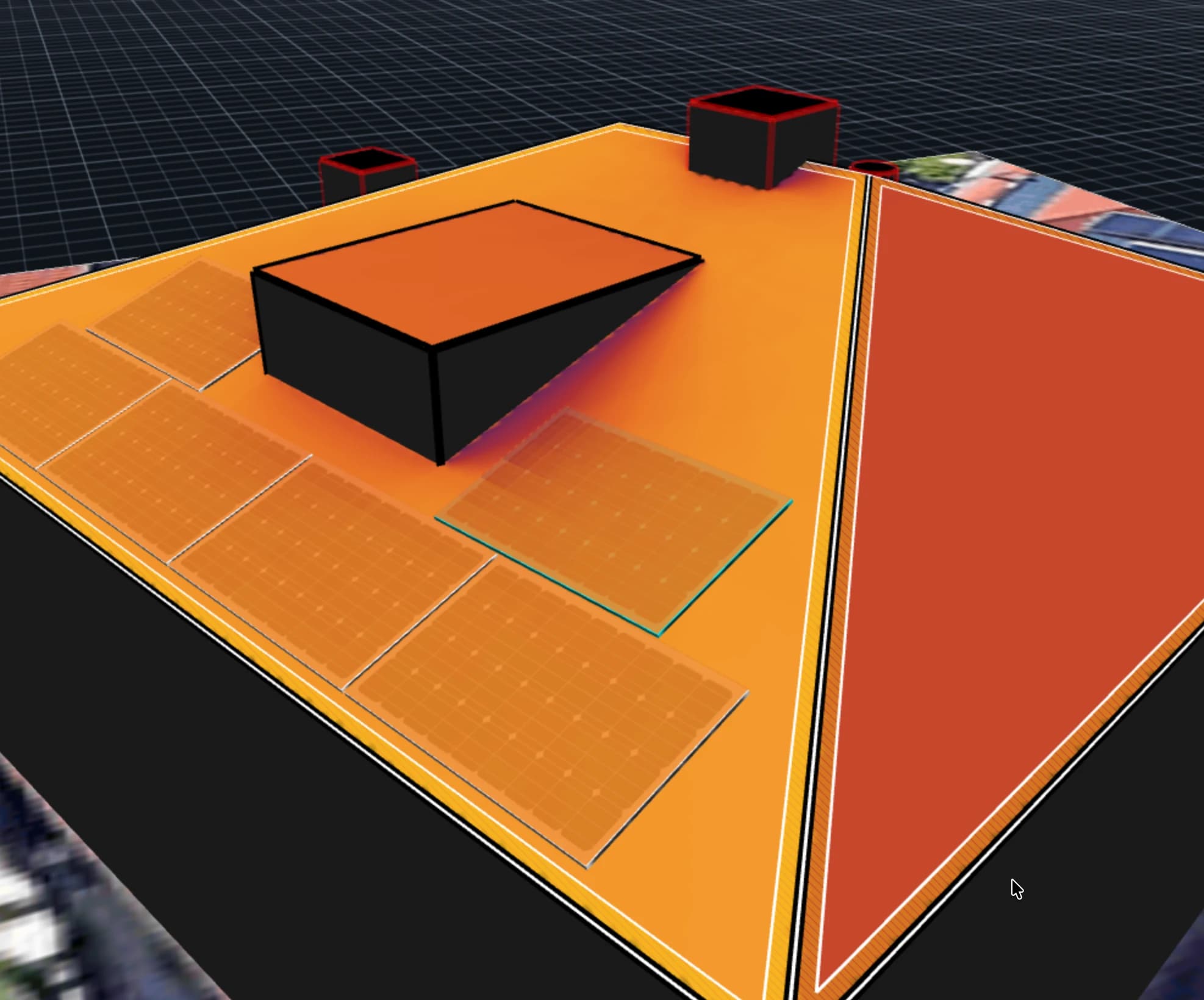
Know exactly which panels will earn their keep before the customer signs. Hour-by-hour shading runs against the full 3D model, so a tree at the back of the lot or a chimney on the wrong slope shows up in the production estimate, not in a service call months later.
- Location-specific irradiance data
- Hourly shading from obstacles and dormers
- Color-coded solar irradiance visualization
- Annual yield estimation per panel
Catch string violations before they become service calls
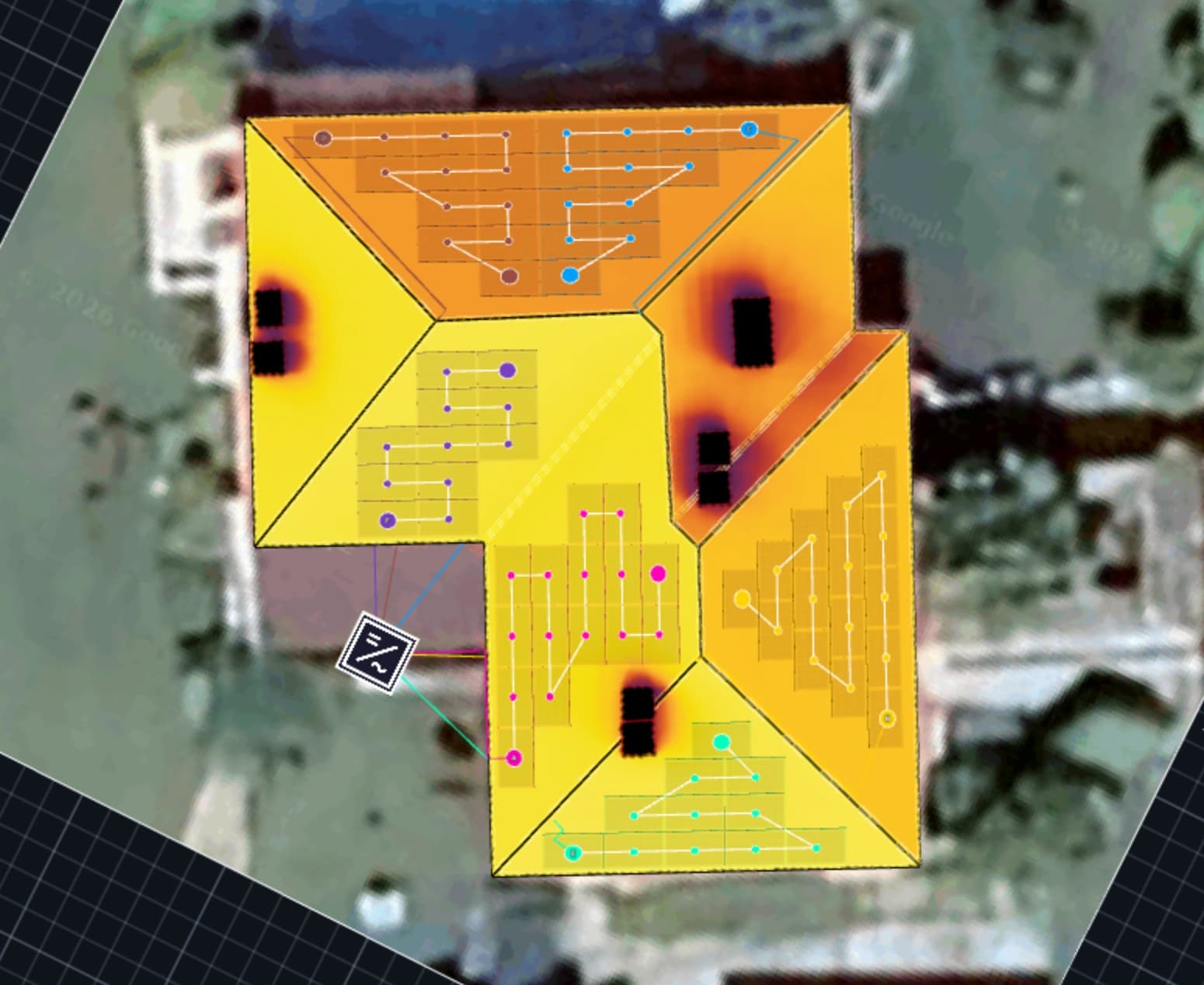
Stringing mistakes get caught at design time, not on the rooftop. Voc, Vmpp, and Isc validate against inverter limits in real time under worst-case temperatures, and the resulting losses flow straight into the proposal, so the numbers the customer sees are the numbers the system will produce.
- Click or drag to assign panels to strings
- Real-time Voc, Vmpp, Isc per string and per MPPT
- Temperature-dependent worst-case validation
- Stringing loss calculation flows into proposals
- Automatic cable routing for C&I projects
One model for every energy asset your customer wants
Answer "what if we add a battery, a heat pump, an EV charger?" inside the same design, not on a separate spreadsheet. Each new asset re-runs grid export, self-consumption, and financial returns automatically, so payback and CO₂ stay in sync with whatever final mix the customer settles on.
- Battery storage sizing and dispatch
- Heat pump energy demand modeling
- EV charger capacity and load profile
- Cross-component interaction modeling
Questions about 3D solar design
No. The roof drawing tool is designed for solar professionals, not CAD designers. Most users build their first rooftop design within minutes.

